

The AI-Powered Text Search Solution: Makes finding Information in Large Directories, Books, and Manuals- Simple, Quick, and Precise

BIZDEX is an AI-powered text search tool that converts documents into e-books, allowing you to quickly and accurately find specific information within large business directories, catalogs, books, and other text- based resources.

Whether you're searching for names, case law, or specific details, BIZDEX allows you to quickly and accurately find specific information, saving you time and effort.

AI-Powered Text Search Made Simple

Tired of flipping through thick manuals or business directories? BIZDEX transforms documents into searchable e-books—making it fast and easy to find exactly what you need!

From legal case laws to product catalogs, find information in a click with BIZDEX!
📌 Start your search smarter today.

#BIZDEX #TextSearchTool #AITextSearch #SmartSearch #BusinessDirectories #DocumentSearch

Key Features How It Works Case Studies

Key Features:

  • Natural Language Processing (NLP): BIZDEX uses advanced NLP technology to understand the context of your search, delivering highly relevant and precise results based on the query.
  • Fast Text Indexing: The tool efficiently indexes large amounts of text, ensuring rapid search results no matter the file size.
  • Customizable Filters: BIZDEX allows you to customize your search with filters and options, making it easier to refine results based on your specific needs.
  • Seamless Integration: The tool can be integrated into your existing systems and workflows, offering a seamless experience without disruptions.

How It Works:

  • Step 1 - Upload Your Files:Click on "Add File," enter the file name, upload any large text-based files (such as business directories or books), and save them.
  • Step 2 - Search for Information: Once the files are uploaded, you can enter any text or numbers in the search field. BIZDEX will then display results page by page, allowing you to quickly find the information you need.
  • Step 3 - Get Instant Results: BIZDEX will instantly search your files and display the results, highlighting the matching areas.
  • Step 4 - Organize and Save Your Findings: You can download or share the results, which will open in a new tab, providing a clear view of the image and options to download it.

Case Studies:

  1. Revolutionizing Legal Research for a Global Law Firm:

    A leading law firm was facing challenges with the time-consuming process of legal research. Their lawyers were spending hours searching through vast legal directories to find relevant case laws, statutes, and precedents. This hindered their ability to respond promptly to client needs and complete legal reviews efficiently. Know More

    By implementing BIZDEX, the law firm was able to:

    • Streamline legal research: Quickly find relevant legal documents, such as case law, statutes, and precedents, within seconds.
    • Improve efficiency: Reduce the time spent on legal research by 35%, allowing lawyers to focus on more complex tasks.
    • Enhance productivity: Complete legal reviews in less time, increasing overall productivity and responsiveness to clients.
    • Improve accuracy: Ensure accurate and relevant legal research results, reducing the risk of errors and omissions.
  2. Accelerating Academic Research at a Leading Research Institution:

    A research institution was struggling to manage and retrieve information from their extensive collection of academic papers and books. This hindered the ability of researchers to find relevant information quickly and efficiently, impacting their project completion times. Know More

    By implementing BIZDEX, the research institution was able to:

    • Improve information retrieval: Quickly search through their vast collection of academic resources and find relevant information.
    • Accelerate research: Reduce the time spent on literature reviews by 40%, allowing researchers to focus on more in-depth analysis.
    • Meet deadlines: Complete research projects more efficiently, meeting tight deadlines and increasing productivity.
    • Enhance collaboration: Share search results and findings with colleagues, facilitating collaboration and knowledge sharing.
  3. Enhancing Market Research for a Consulting Firm:

    A consulting firm was struggling to gather and analyze market data efficiently. Their research process was time-consuming and often involved manual searches through multiple sources. Know More

    By implementing BIZDEX, the consulting firm was able to:

    • Streamline market research: Quickly search through industry reports, news articles, and company profiles to gather relevant market data.
    • Improve analysis: Analyze market trends and identify opportunities more effectively.
    • Enhance client deliverables: Provide more comprehensive and valuable market insights to clients.
  4. Improving Customer Support for an E-commerce Company:

    An e-commerce company was facing challenges with providing timely and accurate customer support. Their agents struggled to find relevant information quickly, leading to longer wait times and customer dissatisfaction. Know More

    By implementing BIZDEX, the e-commerce company was able to:

    • Improve customer service: Enable customer support agents to quickly find answers to customer inquiries.
    • Reduce response times: Provide faster and more accurate responses to customers, improving satisfaction.
    • Enhance knowledge management: Create a centralized knowledge base of product information and FAQs.
← Back Try Now →
×

Contact Us

AI-Powered Intelligent DMS

Doculance is an AI-powered Intelligent document management system (DMS) designed to simplify document handling for businesses of all sizes. It helps users easily find, organize, and manage documents with simple search tools. With an AI Assistant Chatbot, users can upload documents and ask questions about them. Doculance enhances accessibility, promotes teamwork, and ensures secure, efficient document management. It’s user-friendly, customizable to your organization's needs, and capable of handling large amounts of data effortlessly.

Key Features:

  • AI-Powered Search Engine: Easily find what you need with AI and OCR technology, even text inside images or scanned documents. Supports formats like Word, PowerPoint, PDFs, and images.
  • Configure your search format: Admins can set up search formats for specific needs, like HR, Sales, or Production, making searches faster and more relevant.
  • All-in-One Document Hub: Keep all your department's and team’s documents in one place to save time and avoid switching in between.
  • Gen AI Chatbot: The integrated AI Chatbot provides intelligent assistance, helping users find documents efficiently by answering questions and retrieving files with ease.
  • Secure and Controlled Access: Doculance safeguards sensitive information by granting access only to authorized users. The system employs robust encryption to protect data.
  • Multi-Department Support: Doculance accommodates the needs of large organizations by allowing different teams to use the system simultaneously with customized settings for each department.
  • Easy upload and retrieval: The platform supports a variety of document formats, making it simple to upload and retrieve files, ensuring hassle-free document management.
  • Access Permissions: Admins control who can view, edit, or share documents, ensuring sensitive information stays safe.
  • Mobile Access: View and manage your documents anytime, anywhere, using your mobile devices, providing flexibility and convenience for users on the go.

Advance Features

  • Streamlined Document Workflow Management: Organize and track documents with easy-to-follow workflows, ensuring efficiency.
  • Smart Metadata Auto-Fill with Real-Time Preview: The documents that are uploaded are analyzed by AI, which fetches the values and auto fills the metadata fields.
  • Live File Editing for PDF, DOCX, and PPT Formats: Make changes to uploaded files directly without needing to download or switch between apps.
  • Robust File Encryption for Secure Document Handling: Protect files with strong encryption to keep sensitive information safe from unauthorized access.

How It Works

  • Step 1 - Sign Up for Free: Visit the Doculance website and easily sign up for a free trial.
  • Step 2 - Upload Documents: Upload your documents, whether they are Word, PDFs, scanned files, or images, into the Doculance system.
  • Step 3 - Search and Retrieve: Easily locate any document by typing in keywords or phrases or searching by category wise by using the AI-powered search feature, which reads and understands text from your files.
  • Step 4 - Configure Your Own Search Result Format: Set up customized search indexes (i.e., categories) specific to different wings or departments. Create field types and field labels.
  • Step 5 - Manage Users, Roles, and Wings: Go to the menu and add wings under "Manage Masters." Then, assign user roles by selecting wings and role types, and add new users under "Manage Users."
  • Step 6 - Workflow: The Doculance workflow automates document ingestion, classification, and processing using AI for smart tagging and quick searching. It allows teams to work together with controlled access, version control, and approved files while keeping documents secure and compliant.
  • Step 7 - GenAI Chatbot: Create your own AI chatbot that can answer queries related to the uploaded documents, helping users find specific information easily.

Case Studies:

  1. Case Study 1: Optimizing Document Management for a Government Department

    A state government department, managing millions of documents across various divisions, faced significant challenges in document retrieval and ensuring data security. The manual process of searching for specific documents was time-consuming, and managing access to sensitive information across multiple divisions added to the complexity.

    By implementing Doculance, the department was able to:

    • Streamline document retrieval: Custom search templates allowed users to quickly locate specific documents based on department-specific fields, improving search speed and accuracy.
    • Enhance security: Sensitive documents were secured with strict access controls, ensuring only authorized personnel could view or edit them.
    • Increase collaboration: Teams across divisions could securely share documents, enhancing communication and reducing manual efforts by 40%.
    • Improve operational efficiency: The department saw a significant reduction in time spent on document handling, enabling employees to focus on more critical tasks.
  2. Case Study 2: Streamlining HR Document Management for a Multinational Company

    A large multinational company's HR department struggled with managing employee records, contracts, and compliance documents. The manual process of locating documents like employee contracts or tracking contract expiration dates was inefficient, slowing down operations and delaying decision-making.

    By adopting Doculance, the HR department was able to:

    • Simplify document retrieval: Customizable search fields, such as employee ID and contract expiration dates, allowed HR personnel to quickly access relevant documents.
    • Boost efficiency: The time spent on retrieving employee records was reduced by 35%, enabling HR staff to focus on higher-value tasks.
    • Automate document handling: Routine tasks like categorizing employee records and tracking document deadlines were automated, saving time and ensuring accuracy.
    • Enhance compliance management: With documents better organized and easily accessible, the department could ensure timely compliance with regulatory requirements, reducing the risk of oversight.
  3. Case Study 3: Manufacturing Company Optimizes Operations and Reduces Costs

    A manufacturing company was facing challenges with production inefficiencies due to disorganized, outdated documentation on best practices, maintenance procedures, and quality control standards. This made it difficult for frontline workers to quickly access the knowledge they needed.

    By implementing Doculance, the company was able to:

    • Streamline knowledge access: Automatically categorize documents and provide employees with relevant information based on tasks or location.
    • Improve efficiency: Reduce production downtime and improve product quality.
    • Ensure up-to-date information: Provide real-time access to updated procedures, enhancing safety and compliance.
  4. Case Study 4: Financial Services Firm Enhances Investment Research and Risk Management

    A financial services firm struggled to manage large volumes of market reports, financial statements, and regulatory documents, making investment analysis and risk identification difficult and time-consuming.

    By implementing Doculance, the firm was able to:

    • Streamline research: Automate the extraction of key financial data and insights, improving investment analysis.
    • Enhance risk management: AI identified potential market risks and trends, enabling proactive decisions.
    • Increase productivity: Analysts focused on strategic tasks, as document analysis was automated, saving time and improving client engagement.
  5. Case Study 5: Pharmaceutical Company Accelerates Drug Discovery

    A pharmaceutical company faced challenges in accessing scattered research data, which slowed down drug discovery efforts. Scientific reports, clinical trial data, and intellectual property documents were difficult to locate and analyze.

    By implementing Doculance, the company was able to:

    • Accelerate research: Use AI-powered semantic search to quickly find relevant studies, speeding up drug discovery.
    • Enhance data analysis: AI identified promising drug targets and adverse effects, improving accuracy.
    • Foster collaboration: Easier data access promoted teamwork, leading to more innovative ideas and breakthroughs.
  6. Case Study 6: Healthcare Provider Accelerates Patient Record Retrieval

    A large hospital faced challenges with accessing patient records stored in physical archives, delaying critical care decisions.

    By implementing Doculance, the hospital was able to:

    • Reduce retrieval time by 90%: Instant electronic access to patient records improved diagnosis and treatment.
    • Enhance patient care: AI uncovered patterns in medical data, aiding in better disease diagnosis and prevention.
    • Save costs: Digitizing records eliminated the need for physical storage, reducing operational expenses.
  7. Case Study 7: Global Law Firm Streamlines Contract Review and Negotiation

    A leading international law firm faced delays and potential errors in manually reviewing vast collections of legal documents. Traditional search methods made it difficult to locate specific clauses efficiently.

    By implementing Doculance, the firm was able to:

    • Reduce review time by 40%: AI highlighted key clauses, allowing lawyers to focus on critical analysis.
    • Enhance accuracy: Advanced search prevented missed clauses and inconsistencies.
    • Improve collaboration: The secure platform enabled real-time document sharing and annotations between teams across locations.

Streamline Operations with AI-Powered Data Extraction and Validation for Seamless Data Matching

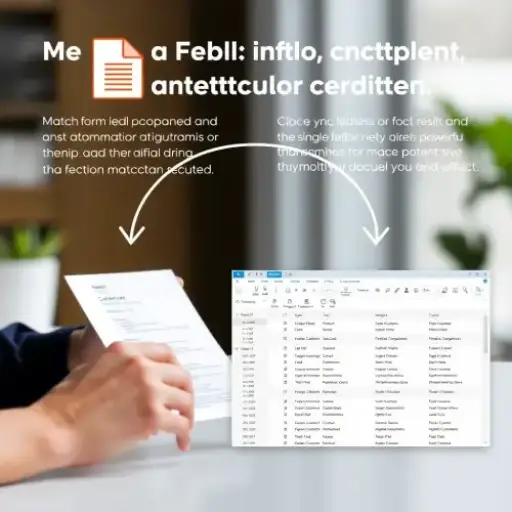
FormFieldMatchAI is an advanced AI-powered API designed to automate the matching of form fields with corresponding data from attached documents, third-party sources, or databases. Whether processing a single form or handling bulk transactions, it ensures precise, efficient comparisons, reducing manual effort and enhancing accuracy. Ideal for various industries, FormFieldMatchAI streamlines workflows, improves data consistency, and saves valuable time.

AI-Powered Data Matching Made Simple

Simplify form field matching with FormFieldMatchAI — an API that ensures accurate and efficient data comparison for forms, documents, and databases. Perfect for single or bulk transactions!

Features
  • Field Comparison
  • Bulk Processing
  • AI-Powered Accuracy
  • Time-Saving Efficiency
  • Versatile Applications

Say goodbye to manual matching—let AI handle it for you!

#FormFieldMatchAI #DataMatching #AIAPI #Efficiency #BulkProcessing #Automation
Key Features:

  • Field Comparison: Compares form fields with those in attachments to deliver precise field-by-field matching results.
  • Bulk Processing: Efficiently handles large volumes of transactions, making it ideal for high-transaction environments.
  • AI-Powered Accuracy: Utilizes cutting-edge AI technology to ensure accuracy, consistency, and reliability.
  • Time-Saving: Designed to reduce manual work, potentially saving millions of hours in verification processes.
  • Versatile Use: Supports various use cases, such as document verification, reference checks, and data validation across different sectors.

How It Works

  • Step 1 - Create or Choose a Form: First, you've got field data; either you've got to fill the data manually, import data from Excel, or choose from the templates (invoice, patient information), and create a form.
  • Step 2 - Attach a PDF: Upload the PDF document that contains the data you want to match.
  • Step 3 - Compare and Match: With a simple click on the "Compare" button, MatchXtract will analyze and find the matching fields between the form and the attached document. It will automatically identify and match corresponding data.
  • Step 4 - View Results: You'll receive a detailed report showing the matched fields, making it easy to review and verify the accuracy of the data extraction.

Case Studies:

  1. Corporate Sector: Automated Invoice Reconciliation:

    A multinational corporation handles thousands of vendor invoices every month. Verifying each invoice against pre-filled purchase order forms manually consumed significant resources. By integrating FormFieldMatchAI, the company automated the invoice reconciliation process, where form fields in invoices are matched against the purchase order details. The system's ability to handle bulk transactions helped reduce processing time by 70%, increasing accuracy, and saving hundreds of man-hours each month.

  2. Government Sector: Streamlining Document Verification for Subsidies:

    A government agency responsible for disbursing subsidies faced challenges in verifying applicant forms against attached documentation. The manual process led to delays and errors. With FormFieldMatchAI, the agency automated the matching of form fields (like identity details, financial information) with supporting documents. This resulted in faster subsidy approvals, enhanced data accuracy, and reduced the processing time for each application by 80%.

  3. Banking Industry: Loan Application Validation:

    A major bank implemented FormFieldMatchAI to automate the loan application verification process. The API matched form fields in loan applications with fields in supporting documents (e.g., income proofs, tax returns). By using FormFieldMatchAI, the bank reduced loan processing time from weeks to just days, ensuring a smoother customer experience and quicker loan approvals.

  4. Insurance Industry: Claim Processing:

    In the insurance sector, claims often need to be cross-referenced with supporting documents like medical reports or accident details. By adopting FormFieldMatchAI, an insurance company automated its claim validation process, comparing form fields (claim amount, policy details) with corresponding fields in attachments. The system's bulk transaction capability allowed the insurer to process hundreds of claims simultaneously, reducing manual errors and expediting payouts.

  5. Healthcare Sector: Patient Data Verification:

    A large healthcare provider used FormFieldMatchAI to streamline patient data entry. As patients' medical forms and identity documents are uploaded, the API compares form fields for accuracy against the attachments. This reduced manual errors, minimized patient onboarding time, and ensured that critical patient data was correctly entered into their systems.

Why Choose FormFieldMatchAI?

  • FormFieldMatchAI is a powerful tool for businesses managing large-scale transactions requiring verification. By automating the field-matching process between forms and attachments, it offers unparalleled accuracy and time savings, making it an essential solution for enterprises looking to optimize operational efficiency.

AI-Powered Advanced Image Search Solution: Unlocking the Power of Visual Data

PixelProbe is an advanced visual data extraction tool that simplifies the process of retrieving information from images. Whether you're working with land records, property maps, engineering drawings, product catalogs, or documents, PixelProbe enables quick and accurate searches for specific text, numbers, or characters. Designed for efficiency, it streamlines data retrieval, making information easily accessible and actionable.

Visual Data Extraction Simplified

Transform image-based data into actionable insights with PixelProbe! Effortlessly extract text, numbers, or characters from images like land records, property maps, engineering drawings, and product catalogs.

Features
  • Accurate Text Extraction
  • Intelligent Search
  • Large-Volume Handling
  • Customizable for Your Needs

Simplify your workflow and let PixelProbe do the heavy lifting!

#PixelProbe #VisualDataExtraction #AI #TextExtraction #Efficiency #ImageProcessing

Key Features:

  • Accurate Text Extraction: PixelProbe uses advanced Optical Character Recognition (OCR) technology to accurately extract text from various image formats, even those with complex layouts or low image quality.
  • Intelligent Search: The tool uses AI to understand your search queries and delivers precise results, making it easy to find exactly what you need.
  • Handles Large Volumes: PixelProbe is designed to handle large amounts of data efficiently, making it ideal for industries that work with large datasets.
  • Customizable: Tailor your search parameters and filters to meet your specific needs, ensuring that you only get the most relevant results.

How It Works

  • Step 1 - Upload the Files:Simply upload the images or documents you want to search. Like upload your visual data files, such as engineering drawings or building plans.
  • Step 2 -Search for Text or Numbers:Type in the text or number you're looking for.
  • Step 3 - Get Instant Results: Click the "Search Text" button. PixelProbe will quickly show you the results with highlighted matches.

Case Studies:

  1. Engineering Firm:

    A leading engineering firm was struggling with the inefficiencies of their traditional document management system. Searching for specific technical specifications within complex engineering drawings was time-consuming and often involved manual review of numerous documents. This hindered productivity and delayed project timelines. Know More

    By implementing PixelProbe, the engineering firm was able to:

    • Streamline document search: Quickly locate specific technical specifications like dimensions, materials, or tolerances within engineering drawings.
    • Improve efficiency: Reduce search times significantly, allowing engineers to spend more time on design and analysis.
    • Enhance accuracy: Ensure accurate identification of technical information, reducing the risk of errors and rework.
    • Improve collaboration: Share search results easily with team members, facilitating better collaboration and knowledge sharing.
  2. Retail Company:

    A retail company faced challenges with providing timely and accurate information to customers. Their existing product catalog system was difficult to navigate and often required manual searches through numerous documents. This led to customer dissatisfaction and increased service times. Know More

    By implementing PixelProbe, the retail company was able to:

    • Improve customer service: Quickly locate product information, such as descriptions, specifications, or pricing, within their catalog.
    • Reduce search times: Enable faster response times to customer inquiries, improving customer satisfaction.
    • Enhance accuracy: Ensure accurate product information is provided to customers, reducing errors and returns.
    • Streamline operations: Streamline the product information retrieval process, improving overall operational efficiency.
  3. Healthcare Provider:

    A healthcare provider was struggling with the manual review of medical images for diagnostic purposes. This process was time-consuming and prone to human error. Know More

    By implementing PixelProbe, the healthcare provider was able to:

    • Improve diagnostic accuracy: Quickly identify abnormalities or anomalies within medical images, such as X-rays, MRIs, or CT scans.
    • Reduce turnaround time: Streamline the diagnostic process, leading to faster patient care and improved outcomes.
    • Enhance collaboration Share search results with medical specialists for consultation and diagnosis.
  4. Insurance Claims Processor:

    An insurance claims processor was facing challenges with extracting information from accident reports, medical bills, and other supporting documents. This manual process was time-consuming and error-prone. Know More

    By implementing PixelProbe, the claims processor was able to:

    • Automate data extraction: Quickly extract relevant information from documents, such as dates, amounts, and patient details.
    • Reduce errors: Minimize data entry errors, improving the accuracy of claims processing.
    • Streamline workflows: Streamline the claims process, leading to faster payouts for policyholders.
  5. Legal Firm

    A legal firm was struggling with the manual review of legal documents for specific terms or clauses. This process was time-consuming and often required multiple reviews. Know More

    By implementing PixelProbe, the legal firm was able to:

    • Improve efficiency: Quickly locate specific terms or clauses within legal documents, such as contracts or briefs.
    • Reduce errors: Minimize the risk of overlooking important information, ensuring accurate legal analysis.
    • Streamline workflows: Streamline the document review process, allowing lawyers to focus on more complex tasks.

Identify Common Fields and Arrange Data in a Tabular Structure, including a Link to the respective File

DocMatrix is an AI-powered tool designed to identify common elements in similar documents and organize them into a table format. It links the relevant data to the respective files, making it easier to scan and import records directly into a database.

This tool is especially useful for digitizing invoices, receipts, work orders, and similar records, saving time, reducing errors, and improving data management efficiency.

Key Features:

  • Precise Data Extraction: AI accurately extracts data from PDFs, scanned documents, and images.
  • Automatic Organization: Data is organized into predefined common fields to ensure consistency and ease of use.
  • Document Linking: Links back to the original files for quick access and verification.
  • Customizable Fields: You can customize how the tool extracts and organizes data to fit your specific business needs, giving you flexibility and control.

How It Works:

  • Step 1 - Upload Your Files:Upload bulk files with similar formats, by clicking the "Upload" button.
  • Step 2 - Data Rearrangement: After the files are uploaded, DocMatrix automatically arranges the extracted data into a structured, easy-to-read table format.

Case Studies:

  1. Public Procurement:

    Improve the efficiency of invoice processing in public procurement.
    Solution: DocMatrix automated the extraction and organization of data from invoices, reducing manual effort.
    Outcome: This automation reduced processing delays, improved accuracy, and cut processing time by 50%.

  2. Municipal Corporations:

    Enhance work order management and reduce delays.
    Solution: DocMatrix helped organize and manage work order data automatically, reducing manual handling and errors.
    Outcome: This streamlining reduced delays by 40% and increased transparency in the work order process.

  3. Public Works Department:

    Improve audit efficiency and accountability for contract records.
    Solution: DocMatrix linked contract records to original documents, making retrieval faster and more reliable.
    Outcome: This solution saved 30% of the time spent on audits and boosted accountability by simplifying record tracking.

  4. Health Department:

    Reduce the workload associated with invoice processing and ensure timely payments.
    Solution: DocMatrix automated the invoice extraction and organization process, making payments more timely.
    Outcome: Workload decreased by 45%, and the department was able to make payments more quickly and accurately.

  5. Education Department

    Digitize grant records and reduce errors in financial reporting.
    Solution: DocMatrix organized and categorized grant records automatically, reducing manual input.
    Outcome: Reporting errors were reduced by 60%, improving the accuracy of expense tracking for grants.

  6. Urban Development

    Streamline the management of vendor data for urban development projects.
    Solution: DocMatrix automatically organized vendor data and linked it to the relevant files for quick access.
    Outcome: Vendor data retrieval time was reduced by 70%, enabling smoother project monitoring and management.

The AI-Powered Text Search Solution: Makes finding Information in Large Directories, Books, and Manuals- Simple, Quick, and Precise

BIZDEX is an AI-powered text search tool that converts documents into e-books, allowing you to quickly and accurately find specific information within large business directories, catalogs, books, and other text- based resources.

Whether you're searching for names, case law, or specific details, BIZDEX allows you to quickly and accurately find specific information, saving you time and effort.

Key Features:

  • Natural Language Processing (NLP): BIZDEX uses advanced NLP technology to understand the context of your search, delivering highly relevant and precise results based on the query.
  • Fast Text Indexing: The tool efficiently indexes large amounts of text, ensuring rapid search results no matter the file size.
  • Customizable Filters: BIZDEX allows you to customize your search with filters and options, making it easier to refine results based on your specific needs.
  • Seamless Integration: The tool can be integrated into your existing systems and workflows, offering a seamless experience without disruptions.

How It Works:

  • Step 1 - Upload Your Files:Click on "Add File," enter the file name, upload any large text-based files (such as business directories or books), and save them.
  • Step 2 - Search for Information: Once the files are uploaded, you can enter any text or numbers in the search field. BIZDEX will then display results page by page, allowing you to quickly find the information you need.
  • Step 3 - Get Instant Results: BIZDEX will instantly search your files and display the results, highlighting the matching areas.
  • Step 4 - Organize and Save Your Findings: You can download or share the results, which will open in a new tab, providing a clear view of the image and options to download it.

Case Studies:

  1. Revolutionizing Legal Research for a Global Law Firm:

    A leading law firm was facing challenges with the time-consuming process of legal research. Their lawyers were spending hours searching through vast legal directories to find relevant case laws, statutes, and precedents. This hindered their ability to respond promptly to client needs and complete legal reviews efficiently. Know More

    By implementing BIZDEX, the law firm was able to:

    • Streamline legal research: Quickly find relevant legal documents, such as case law, statutes, and precedents, within seconds.
    • Improve efficiency: Reduce the time spent on legal research by 35%, allowing lawyers to focus on more complex tasks.
    • Enhance productivity: Complete legal reviews in less time, increasing overall productivity and responsiveness to clients.
    • Improve accuracy: Ensure accurate and relevant legal research results, reducing the risk of errors and omissions.
  2. Accelerating Academic Research at a Leading Research Institution:

    A research institution was struggling to manage and retrieve information from their extensive collection of academic papers and books. This hindered the ability of researchers to find relevant information quickly and efficiently, impacting their project completion times. Know More

    By implementing BIZDEX, the research institution was able to:

    • Improve information retrieval: Quickly search through their vast collection of academic resources and find relevant information.
    • Accelerate research: Reduce the time spent on literature reviews by 40%, allowing researchers to focus on more in-depth analysis.
    • Meet deadlines: Complete research projects more efficiently, meeting tight deadlines and increasing productivity.
    • Enhance collaboration: Share search results and findings with colleagues, facilitating collaboration and knowledge sharing.
  3. Enhancing Market Research for a Consulting Firm:

    A consulting firm was struggling to gather and analyze market data efficiently. Their research process was time-consuming and often involved manual searches through multiple sources. Know More

    By implementing BIZDEX, the consulting firm was able to:

    • Streamline market research: Quickly search through industry reports, news articles, and company profiles to gather relevant market data.
    • Improve analysis: Analyze market trends and identify opportunities more effectively.
    • Enhance client deliverables: Provide more comprehensive and valuable market insights to clients.
  4. Improving Customer Support for an E-commerce Company:

    An e-commerce company was facing challenges with providing timely and accurate customer support. Their agents struggled to find relevant information quickly, leading to longer wait times and customer dissatisfaction. Know More

    By implementing BIZDEX, the e-commerce company was able to:

    • Improve customer service: Enable customer support agents to quickly find answers to customer inquiries.
    • Reduce response times: Provide faster and more accurate responses to customers, improving satisfaction.
    • Enhance knowledge management: Create a centralized knowledge base of product information and FAQs.

Transform Your Health with MediPredict - Your Personal Health Assistant

Managing your health just got easier with MediPredict. Our intelligent healthcare platform analyzes your symptoms to predict potential diseases and recommend the right course of action. Whether you need guidance on treatment options or want to find nearby healthcare providers, MediPredict is here to assist you. Take control of your well-being with personalized insights at medipredict.app .

Key Features:

  • Accurate Predictions: MediPredict uses a large medical database to deliver reliable predictions based on the symptoms you provide.
  • Personalized Advice: The app gives personalized recommendations, including treatment options and when to seek further medical evaluation.
  • Find Healthcare Providers: Easily locate nearby doctors, clinics, or hospitals based on the conditions predicted by the app.
  • Easy to Use: The app has a simple, user-friendly design, making it easy to navigate and get the information you need quickly.

How It Works:

  • Step 1 - Enter Your Symptoms: Click the "Predict Disease based on Symptoms" button and enter your symptoms. You will need to select at least three symptoms you're experiencing.
  • Step 2 - Get Predictions: After selecting your symptoms, click "Proceed." MediPredict will analyze your symptoms and provide potential disease diagnoses with accuracy percentages.
  • Step 3 - Get Recommendations: Receive advice on what steps to take, including treatment options and further evaluation.

Case Studies:

  1. Empowering Timely Diagnoses:

    A patient was experiencing chronic fatigue and joint pain, which was significantly impacting their quality of life. Despite multiple doctor visits, they had been unable to receive a definitive diagnosis. Know More

    By using MediPredict, the patient was able to:

    • Identify potential causes: The app suggested anemia as a possible cause for the patient's symptoms.
    • Seek further evaluation: Based on MediPredict's recommendation, the patient sought further medical evaluation, which confirmed the anemia diagnosis.
    • Improve well-being: With a proper diagnosis, the patient was able to receive appropriate treatment, leading to a significant improvement in their symptoms and overall well-being.
  2. Enhancing Parental Peace of Mind:

    A parent was worried about their child's recurring fevers and rashes. Despite taking their child to the doctor multiple times, they were unable to determine the underlying cause. Know More

    By using MediPredict, the parent was able to:

    • Identify potential causes: The app suggested a viral infection as a possible cause for the child's symptoms.
    • Get home care advice: MediPredict provided specific recommendations for home care, such as rest, hydration, and over-the-counter pain relief.
    • Know when to seek medical attention: The app advised the parent to watch for any signs of worsening symptoms or complications, and to seek medical attention if necessary.
  3. Managing Chronic Conditions:

    A patient with a chronic condition, such as diabetes or asthma, was struggling to manage their symptoms effectively. They often felt overwhelmed by the complexity of their condition and the need to make constant adjustments to their treatment plan. Know More

    By using MediPredict, the patient was able to:

    • Track symptoms: Monitor their symptoms over time and identify patterns or triggers.
    • Get personalized recommendations: Receive tailored advice on managing their condition, including medication adjustments or lifestyle changes.
    • Stay informed: Stay up-to-date on the latest research and developments related to their condition.
  4. Identifying Rare Diseases:

    A patient with a rare disease was struggling to obtain a diagnosis. Despite visiting multiple specialists, they were unable to find a doctor who recognized their symptoms. Know More

    By using MediPredict, the patient was able to:

    • Explore potential diagnoses: Identify rare diseases that might match their symptoms.
    • Find specialized care: Locate doctors with expertise in rare diseases.
    • Connect with others: Connect with other patients with similar conditions through MediPredict's community features.
  5. Preparing for Travel:

    A traveller was concerned about their health while travelling to a foreign country. They were unsure about the local healthcare system and wanted to be prepared for any medical emergencies. Know More

    By using MediPredict, the traveller was able to:

    • Research local healthcare: Learn about the healthcare system in their destination country.
    • Identify potential health risks: Identify common health problems in the area they were visiting.
    • Prepare for emergencies: Create a travel health kit and develop a plan in case of medical emergencies.

The Future of Campus Management: AI-Enabled Attendance System with Geo-Fencing, Face Recognition, and More

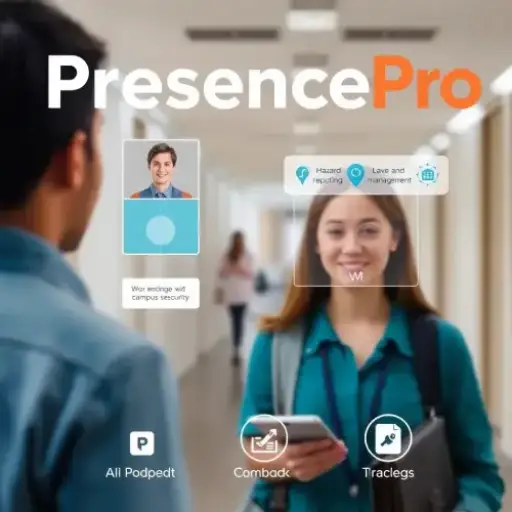
PresencePro is an AI-powered platform designed to streamline attendance management and enhance campus security. Utilizing advanced facial recognition and geo-tracking technology, it ensures precise attendance tracking while also offering features for hazard reporting and leave management.

PresencePro helps businesses, schools, and organizations manage attendance efficiently while promoting a safe environment.

Simplify Attendance, Enhance Security

Meet PresencePro — an AI-powered platform designed to streamline attendance tracking, boost campus security, and offer tools for hazard reporting and leave management. Perfect for schools, businesses, and organizations.

key Features
  • Facial Recognition for Attendance
  • Real-Time Geo-Tracking
  • Hazard Reporting Tools
  • Leave Management System
  • Enhanced Efficiency
  • Improved Communication
  • Data-Driven Insights

Stay secure, organized, and efficient with PresencePro!

#PresencePro #AttendanceTracking #CampusSecurity #AIPlatform #FacialRecognition #WorkplaceEfficiency
Key Features/ Benefits:

  • Facial Recognition for Attendance: PresencePro automatically identifies employees or students through facial recognition, recording attendance without the need for manual or card-based systems.
  • Real-Time Geo-Tracking: The system tracks employees or students in real-time, providing location data to ensure everyone is on campus.
  • Hazard Reporting: Users can easily report potential hazards on campus through the platform, which immediately alerts relevant teams to address safety concerns.
  • Leave Management: Employees or students can apply for leave directly through the platform, and the system tracks approvals and attendance records.
  • Improved Efficiency: Automate attendance tracking and leave management processes, saving time and resources.
  • Enhanced Security: Ensure accurate employee attendance and identify potential security risks.
  • Improved Communication: Facilitate communication among employees regarding campus hazards and safety measures.
  • Data-Driven Insights: Gain valuable insights into employee attendance patterns and identify areas for improvement.

How It Works:

  • Login and Face Registration:
    • Users log into the PresencePro app using their credentials.
    • For first-time users, the app scans and registers their face, which is then used for all future check-ins and check-outs.
  • Check-In:
    • Upon arrival, users initiate the check-in process by scanning their face.
    • The system verifies the user's identity and location, matching it with their scheduled shift or class.
    • Once verified, the user is successfully checked in.
  • Tracking During Shift:
    • While checked in, the system tracks the user's location through geo-tracking, ensuring they remain within the designated area.
    • The app also allows users to submit hazard reports or any irregularities they observe during their shift.
  • Alerts and Reporting:
    • If the user is out of the designated area, an alert is triggered, and auto-checkout may occur.
    • Users can submit reports on safety concerns with images and remarks, notifying relevant teams.
  • Check-Out:
    • At the end of the shift, users check out by scanning their face again.
    • The system logs the check-out time and the total duration of the shift or attendance.
  • Leave Management:
    • Users can apply for leave through the app, where they specify the leave type, dates, and provide remarks.

Case Studies:

  1. Improving Attendance and Security at a Large Organization:

    A leading industry faced challenges with manual attendance tracking and campus security. By implementing PresencePro, they were able to:

    • Reduce processing time: Automate attendance tracking, saving time and resources.
    • Improve accuracy: Ensure accurate attendance records through facial recognition and geo-tracking.
    • Enhance employee satisfaction: Streamline the leave management process, improving employee satisfaction and reducing administrative burden.
    • Promote campus safety: Enable employees to report and share information on potential hazards, creating a safer and more secure environment.
  2. Improving Student Engagement at a University:

    A university was struggling to track student attendance and engagement in their classes. This made it difficult to identify students who were struggling or disengaged. Know More

    By implementing PresencePro, the university was able to:

    • Improve attendance tracking: Accurately track student attendance in real-time.
    • Identify struggling students: Identify students with poor attendance or engagement, allowing the university to provide additional support.
    • Enhance student engagement: Use attendance data to track student progress and identify areas for improvement.
  3. Enhancing Workplace Safety at a Manufacturing Facility:

    A manufacturing facility was concerned about workplace safety and wanted to improve their hazard reporting system. Know More

    By implementing PresencePro, the facility was able to:

    • Encourage hazard reporting: Empower employees to report potential hazards quickly and easily.
    • Improve response times: Respond to reported hazards promptly, reducing the risk of accidents or injuries.
    • Create a safer workplace: Foster a culture of safety and awareness among employees.
  4. Streamlining HR Processes at a Large Corporation:

    A large corporation was facing challenges with managing employee leave requests and tracking attendance. Know More

    By implementing PresencePro, the corporation was able to:

    • Automate leave management: Streamline the leave application and approval process.
    • Improve attendance tracking: Accurately track employee attendance and identify absences.
    • Enhance HR efficiency: Reduce administrative burden and improve overall HR efficiency.

Pre-Configurable Customized Chatbot: Your Key to Unlocking Excellent Customer Support Experiences

ChatFlex is a customizable AI-powered chatbot that can be pre-configured with your services and products to interact with potential customers or contacts. It provides instant and accurate responses to customer inquiries, enhancing satisfaction and engagement while reducing the workload of your support team.

ChatFlex is the perfect solution for businesses looking to streamline operations and elevate their customer service.

Key Features:

  • API Integration: ChatFlex integrates seamlessly with your current systems and tools to provide a smooth customer support experience.
  • Customizable Responses: You can customize the chatbot's responses to reflect your brand's voice, ensuring consistency in communication.
  • Knowledge Base Integration: Connect ChatFlex to your company's knowledge base for accurate and up-to-date answers.
  • Analytics and Reporting: Use detailed analytics to monitor chatbot performance and make adjustments as needed to improve customer interactions.

How It Works:

  • Setting Up Your Customer Support Chatbot:
    • After logging in, go to the Chatbot Categories section from the menu.
    • Click on the (+) icon to add a new category. Enter the category name in both English and Odia, then save it.
    • To create sub-categories, click the (+) icon again, add the sub-category name, and choose the parent category from the drop-down menu. Save it.
    • You can check if the category is Active or Inactive and delete any category by clicking the delete button.
  • Add Chatbot Questions and Answers:
    • Go to the Chatbot section and click the (+) icon.
    • Enter the category or sub-category for your question.
    • Choose the inquiry type:
      • Custom Answer: Enter the question and provide the answer.
      • Refer to a Link: Enter the question and provide the link to the answer, then save it.
  • Add Announcements to the Widget:
    • In the widget, go to CMS → Static Label → Add Static Label.
    • Enter your announcement in both English and Odia, then save it.
    • Once saved, the announcement will appear in the static label list.

Case Studies:

  1. Leading E-Commerce Company Boosts Efficiency and Customer Satisfaction:

    A leading e-commerce company was facing challenges with managing a high volume of customer inquiries related to orders, returns, and product information. Their customer support team was overwhelmed, leading to long wait times and decreased customer satisfaction. Know More

    By implementing ChatFlex, the company was able to:

    • Automate customer inquiries: ChatFlex handled a significant portion of customer inquiries, freeing up customer support agents to focus on more complex issues.
    • Reduce call volume: ChatFlex effectively addressed common customer questions, resulting in a **[percentage]** reduction in customer support call volume.
    • Improve response times: ChatFlex provided instant responses to customer inquiries, reducing wait times and improving customer satisfaction.
    • Enhance customer experience: ChatFlex's ability to provide accurate and helpful information enhanced the overall customer experience.
  2. Healthcare Provider Enhances Patient Experience and Reduces Wait Times:

    A healthcare provider was struggling to manage a high volume of patient inquiries related to appointments, test results, and medical procedures. This was leading to long wait times and decreased patient satisfaction. Know More

    By implementing ChatFlex, the healthcare provider was able to:

    • Answer common patient questions: ChatFlex provided instant answers to frequently asked patient questions, reducing the workload on their customer support team.
    • Reduce wait times: ChatFlex helped to reduce wait times for appointments and test results, improving the overall patient experience.
    • Provide accurate information: ChatFlex was able to provide accurate and up-to-date information to patients, reducing confusion and frustration.
    • Enhance patient satisfaction: By providing a convenient and efficient way for patients to get information, ChatFlex helped to enhance overall patient satisfaction.
  3. Improving Customer Support for a Financial Institution:

    A financial institution was struggling to provide timely and accurate customer support for inquiries related to account balances, transactions, and loan applications. Know More

    By implementing ChatFlex, the financial institution was able to:

    • Handle common inquiries: ChatFlex efficiently handled common customer inquiries, freeing up customer support agents to focus on more complex issues.
    • Reduce wait times: Provide instant responses to customer inquiries, reducing wait times and improving customer satisfaction.
    • Ensure data security: ChatFlex was integrated with the financial institution's secure systems, ensuring the protection of customer data.
  4. Enhancing Customer Engagement for a SaaS Company:

    A SaaS company wanted to improve customer engagement and retention. They were struggling to provide timely and personalized support to their customers. Know More

    By implementing ChatFlex, the SaaS company was able to:

    • Provide personalized support: ChatFlex was integrated with the company's customer relationship management (CRM) system, allowing it to provide personalized recommendations and assistance based on customer data.
    • Improve customer retention: By providing excellent customer support, ChatFlex helped to improve customer satisfaction and retention.
    • Gather customer feedback: ChatFlex captured customer feedback and insights, allowing the company to identify areas for improvement.

A generative AI chatbot, built-in to help you create your own chatbot world using your available documents

FileGenie is an AI-powered chatbot designed to help you create a personalized virtual assistant. By uploading your documents, manuals, books, or images, FileGenie can be trained to provide accurate and tailored answers to your specific content. It's a powerful tool for improving access to information and streamlining workflows.

Key Features:

  • Natural Language Processing (NLP): FileGenie understands and responds to questions in natural language, making it easy to interact with.
  • Customizable Training: You can train FileGenie using your own documents, ensuring it provides accurate answers based on your specific needs.
  • Contextual Understanding: FileGenie can understand and grasp the context of your queries, delivering answers that are relevant to your questions.
  • Integration Capabilities: FileGenie easily integrates into your existing systems, making it a seamless addition to your workflows.
  • Continuous Learning: The chatbot learns from user interactions, improving its knowledge and responses over time.

How It Works:

  • Upload Documents: Click the "Add Document to Chatbot" button and upload your files (manuals, guidelines, or books) and save them. You can also select files from Google Drive or Dropbox
  • Access File List: After uploading, the files will appear in the chatbot's file list section.
  • Ask Questions: Select a document from the file list and ask the chatbot questions related to the content of that document.
  • Get Answers: FileGenie provides accurate and relevant answers based on its understanding of your document's content.

Case Studies:

  1. Global Corporation Enhances Employee Satisfaction and Streamlines HR Processes:

    A global corporation was facing challenges with managing a high volume of employee inquiries related to company policies, benefits, and HR procedures. Their HR department was overwhelmed, leading to long wait times and decreased employee satisfaction. Know More

    By implementing FileGenie, the corporation was able to:

    • Automate employee inquiries: FileGenie handled a significant portion of employee inquiries, freeing up HR staff to focus on more complex tasks.
    • Reduce workload on HR: The chatbot provided instant answers to common employee questions, reducing the workload on HR departments.
    • Improve employee satisfaction: By providing quick and accurate information, FileGenie enhanced employee satisfaction and reduced frustration.
    • Streamline HR processes: The chatbot helped to streamline HR processes by providing a centralized source of information for employees.
  2. Pharmaceutical Company Enhances Operational Efficiency with FileGenie:

    A pharmaceutical company was struggling to keep employees updated on the latest developments in their field. Their employees often had difficulty finding relevant information within their extensive medical literature and research papers. Know More

    By implementing FileGenie, the company was able to:

    • Create a knowledge base: Train FileGenie on their medical literature and research papers, creating a centralized knowledge base.
    • Improve information access: Employees could quickly access critical information by asking FileGenie questions.
    • Enhance operational efficiency: By providing employees with easy access to information, FileGenie helped to improve their operational efficiency and productivity.
    • Stay updated on industry trends: FileGenie helped employees stay informed about the latest developments in their field, ensuring they were up-to-date on industry trends.
  3. Improving Customer Service for an E-commerce Company:

    An e-commerce company was struggling to provide timely and accurate customer support for inquiries related to product information, orders, and returns. Know More

    By implementing FileGenie, the company was able to:

    • Create a knowledge base: Train FileGenie on their product catalog, FAQs, and customer support guidelines.
    • Provide instant answers: Customers could receive instant answers to their questions, reducing wait times and improving satisfaction.
    • Reduce workload on customer support: ChatGenie handled a significant portion of customer inquiries, freeing up customer support agents to focus on more complex issues.
  4. Enhancing Collaboration for a Consulting Firm:

    A consulting firm wanted to improve collaboration and knowledge sharing among its team members. They had a large collection of project documents, reports, and presentations that were difficult to manage and access. Know More

    By implementing FileGenie, the consulting firm was able to:

    • Create a centralized knowledge base: Store all project documents and information in a centralized location.
    • Enable easy access: Team members could easily search for and access relevant information.
    • Improve collaboration: Facilitate knowledge sharing and collaboration among team members.
  5. Streamlining Information Management for a Government Agency:

    A government agency was struggling to manage a large volume of documents and information. This was hindering their ability to access and retrieve information quickly and efficiently. Know More

    By implementing FileGenie, the government agency was able to:

    • Digitize documents: Digitize all relevant documents and store them in a centralized location.
    • Improve information retrieval: Easily search for and retrieve specific information using FileGenie.
    • Streamline workflows: Streamline information management processes and improve efficiency.

Advanced Hybrid Chatbot with the dual power of pre-configurable and Gen AI capabilities

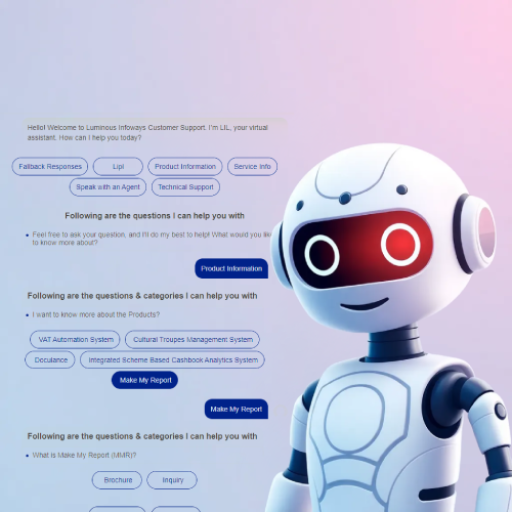
GenBotX is a hybrid AI-powered chatbot that combines the efficiency of preconfigured data with the flexibility of generative AI. This allows GenBotX to deliver quick, accurate answers for common questions while also handling more complex queries. It's an ideal solution for businesses that need efficient customer support and detailed responses based on uploaded documents or data. This hybrid approach makes GenBotX a valuable asset for your organization.
Key Features:

  • Preconfigured Knowledge Base: GenBotX comes with a built-in database of frequently asked questions and predefined answers, allowing for quick responses.
  • Generative AI: When more complex or unique questions arise, GenBotX uses generative AI to generate accurate, context-based responses from your provided data.
  • Natural Language Processing (NLP): GenBotX understands and responds to natural language queries, making conversations smooth and human-like.
  • Customizable Responses: You can easily adjust GenBotX's responses to match your brand's tone and ensure consistency in communication.
  • Seamless Integration: GenBotX integrates smoothly into your existing systems, enhancing customer support and operational workflows.

How It Works:

  • Add Chatbot Categories:
    • Log in and go to the "Chatbot Categories" from the menu.
    • Click the (+) icon to add a new category. Enter the name in both English and Odia, then save.
    • To create sub-categories, click the (+) icon again, enter the sub-category name, and choose the main category from the drop-down list. Save it.
    • You can also check if a category is active or inactive and delete any category by clicking the delete button.
  • Add Chatbot Questions and Answers:
    • Go to the "Chatbot" section and click the (+) icon.
    • Select the category or sub-category for the question.
    • Choose the question type:
      • Custom Answer: Enter the question and type the answer.
      • Refer to a Link: Enter the question and provide the link to the answer, then save.
  • Add Announcements to the Widget:
    • In the widget, go to CMS ? Static Label ? Add Static Label.
    • Enter the announcement in both English and Odia, then save.
    • The saved announcement will appear in the static label list.
  • Utilizing GenAI for Document-Based Q&A:
    • Upload Documents: Click the "Add Document to Chatbot" button and upload your files (manuals, guidelines, or books).
    • Access File List: Once uploaded, the files will be listed in the chatbot's file section.
    • Ask Questions: Select a file from the list and ask questions based on the content of the document.
    • Get Answers: FileGenie will provide answers based on the document's content.

Case Studies:

  1. Leading E-Commerce Company Revolutionizes Customer Support:

    A leading e-commerce company was facing challenges with managing a high volume of customer inquiries related to orders, returns, and product information. Their customer support team was overwhelmed, leading to long wait times and decreased customer satisfaction. Know More

    By implementing GenBotX, the company was able to:

    • Automate customer inquiries: GenBotX handled a significant portion of customer inquiries, freeing up customer support agents to focus on more complex issues.
    • Provide quick answers: The chatbot's preconfigured data allowed it to provide instant answers to common customer questions.
    • Handle complex inquiries: GenBotX's generative AI capabilities enabled it to handle more complex inquiries, such as providing product recommendations or troubleshooting technical issues.
    • Improve customer satisfaction: By providing timely and accurate responses to customer inquiries, GenBotX enhanced customer satisfaction and reduced churn.
  2. Healthcare Provider Leverages GenBotX to Enhance Patient Engagement and Information Access:

    A healthcare provider was struggling to manage a high volume of patient inquiries related to appointments, test results, and medical procedures. This was leading to long wait times and decreased patient satisfaction. Know More

    By implementing GenBotX, the healthcare provider was able to:

    • Answer common patient questions: GenBotX's preconfigured data allowed it to provide instant answers to frequently asked patient questions.
    • Provide personalized information: GenBotX's generative AI capabilities enabled it to provide personalized information based on patient medical records and treatment guidelines.
    • Improve patient engagement: By providing a convenient and informative way for patients to access information, GenBotX enhanced patient engagement and satisfaction.
    • Reduce administrative burden: GenBotX helped to reduce the workload on healthcare staff by handling routine patient inquiries.
  3. Improving Customer Support for a Financial Institution:

    A financial institution was struggling to provide timely and accurate customer support for inquiries related to account balances, transactions, and loan applications. Know More

    By implementing GenBotX, the financial institution was able to:

    • Handle common inquiries: GenBotX's preconfigured data allowed it to provide instant answers to frequently asked customer questions, such as account balances and transaction history.
    • Provide personalized assistance: GenBotX's generative AI capabilities enabled it to provide personalized assistance with more complex inquiries, such as loan applications or dispute resolution.
    • Reduce wait times: By automating customer service, GenBotX reduced wait times and improved customer satisfaction.
  4. Enhancing Employee Engagement for a Large Corporation:

    A large corporation wanted to improve employee engagement and satisfaction. They were struggling to provide timely and accurate answers to employee questions about company policies, benefits, and HR procedures. Know More

    By implementing GenBotX, the corporation was able to:

    • Create a centralized knowledge base: Create a knowledge base of company policies, procedures, and frequently asked questions.
    • Provide instant answers: Employees could quickly get answers to their questions, reducing frustration and improving satisfaction.
    • Enhance employee engagement: By providing a convenient and informative way for employees to access information, GenBotX helped to improve employee engagement and morale.

Stay Ahead of Security Threats with EagleEye's Smart Detection System

EagleEye is an AI-powered video analytics solution designed to improve security, safety, and compliance. It accurately detects and tracks faces, monitors restricted areas, and ensures proper use of personal protective equipment (PPE).

With EagleEye, you can enhance security, prevent unauthorized access, and maintain compliance effortlessly. The system works with live streams, pre-recorded videos, and CCTV footage. Users need to be registered in the database for detection, providing a secure and personalized experience.

Stay Ahead of Security Threats with Smart Detection

EagleEye is an AI-powered video analytics solution that enhances security, safety, and compliance by detecting faces, monitoring restricted areas, and ensuring PPE usage.

key Features
  • Face Detection
  • Restricted Area Monitoring
  • PPE Compliance
  • Versatile Integration
  • Secure Database

Boost your security effortlessly with EagleEye—keeping your environment safe, compliant, and under control.

#EagleEye #SmartDetection #AIAnalytics #FaceDetection #SecuritySolutions #UnauthorizedAccess#PPECompliance #SafetyFirst #CCTVIntegration

Key Features:

  • Face Detection: Accurately identifies individual faces in real time, even in low-light or crowded environments.
  • Person Tracking: Tracks individuals throughout the monitored area, providing insights into their movements and behavior.
  • Uniform Violation Detection: Identifies individuals not wearing required uniforms or identification badges, ensuring adherence to company policies.
  • Restricted Area Violation Detection: Alerts authorities to unauthorized access in restricted areas and sends immediate notifications to ensure security.
  • PPE Kit Violation Detection: Detects missing or improper PPE and alerts security to maintain safety compliance.
  • Analytics and Reporting: Generates detailed reports for data-driven insights and decision-making.

How It Works:

  • Manage User Database: Add individuals to the system by clicking the "Add User" button and entering their details.
  • Upload Video: Click the "Upload Video" button to upload the video footage for analysis. And click the "Submit" button.
  • Face Detection and Tracking:
    • Identify and track individuals using AI-powered face detection.
    • EagleEye will process the footage and display the detected users below the upload section.
  • Restricted Area Violation Detection:
    • Configure restricted zones in the system.
    • EagleEye monitors restricted zones and detects unauthorized entry or intrusions by vehicles, people, animals, or objects based on set preferences.
    • Alerts are sent to mobile devices, control room dashboards, and logged in the database for tracking and documentation.
  • PPE-Kit Violation Detection:
    • The system scans personnel for PPE compliance upon entry, detecting violations such as missing or partial PPE, including helmets, gloves, and safety vests
    • Alerts are sent to administrators, with identified violators or outsiders displayed on the dashboard for real-time tracking.

Case Studies:

  1. Retail Store Chain Improves Security and Reduces Losses:

    A retail store chain struggled with shoplifting and security threats, leading to financial losses. Traditional security methods were ineffective. Know More

    Solution:

    • Detected shoplifters using facial recognition and tracking.
    • Prevented unauthorized entry into restricted areas.
    • Enhanced safety by deterring criminal activity.
    • Provided video evidence for legal action.

    Outcome: Reduced theft and improved overall security.

  2. Manufacturing Facility Improves Safety and Compliance:

    A manufacturing plant faced challenges in monitoring employee safety and compliance with industry standards. Know More

    Solution:

    • Monitored employee activities to detect safety risks.
    • Ensured compliance with PPE requirements.
    • Identified hazards like spills and equipment malfunctions.

    Outcome: Created a safer work environment and ensured compliance with safety rules.

  3. School District Boosts Student Safety:

    A school district wanted to improve security measures to keep students safe. Know More

    Solution:

    • Monitored school premises to detect unauthorized visitors.
    • Track student attendance and identify truancy.
    • Responded quickly to incidents like vandalism or emergencies.

    Outcome: Enhanced student safety and incident response.

  4. City Government Improves Public Safety:

    A city government aimed to lower crime rates and improve public safety Know More

    Solution:

    • Monitored parks, streets, and transportation areas.
    • Used video footage to investigate crimes and identify suspects.
    • Reduced criminal activities by acting as a deterrent.

    Outcome: Lowered crime rates and improved security in public spaces.

  5. Corporate Office Strengthens Security:

    A corporate office faced issues with unauthorized access to restricted areas. Know More

    Solution

    • Detected and tracked unauthorized entries in real time.
    • Monitored entry points using face detection.

    Outcome: Reduced security breaches by 60% and improved workplace safety.

  6. Warehouse Enhances Security and Compliance:

    A warehouse struggled with theft and unauthorized access. Know More

    Solution

    • Monitored access points and tracked employee movements.
    • Ensured compliance with safety policies.

    Outcome: Reduced theft by 35% and improved inventory security.

Discover and Enjoy Virtual Tours: Use PanoraTour to See the World from Your Screen

PanoraTour is an AI-powered platform that is designed to bring the world to your fingertips through immersive virtual tours. Explore temples, historical places, plants, and mines in stunning 360-degree detail. With PanoraTour, you can experience the world from the comfort of your home, making it easier to access and appreciate cultural and natural wonders.

Explore the World with Virtual Tours

Discover temples, historical sites, forests, and industrial areas with PanoraTour's immersive 360-degree virtual tours, all from the comfort of your home.

Features
  • High-Quality 360-Degree Imagery
  • Informative Descriptions for a deeper experience
  • Customizable Experiences for a personalized journey
  • Easy Integration Capabilities

Travel the world without leaving your screen with PanoraTour!

#PanoraTour #VirtualTours #360DegreeViews #ExploreTheWorld #TravelFromHome #ImmersiveExperience #CustomizableTours

Key Features:

  • High-Quality 360-Degree Imagery: Experience stunning visuals captured in 360 degrees, providing an immersive view of your surroundings.
  • Informative Descriptions: Explore every nook and cranny of the virtual environment, with the ability to zoom in and out and examine details closely.
  • Customizable Experiences: Tailor your virtual tour to your preferences with various customizable options.
  • Integration Capabilities: Easily integrate PanoraTour into your website or app, providing a seamless experience for your users.

How It Works:

  • Upload Images: Start by uploading a panoramic image or a batch of images that you want to turn into a virtual tour.
  • Submit the File: After uploading, click the submit button to process the images.
  • View the 360 Tour: Once processed, you can view the generated 360-degree image, allowing you to navigate through the virtual environment.

Case Studies:

  1. Enhancing Accessibility with Virtual Tours:

    A renowned historical site, known for its rich cultural heritage and architectural significance, faced challenges in attracting visitors from diverse backgrounds. Many potential visitors were unable to travel to the site due to physical limitations, financial constraints, or geographical distance. Know More

    By implementing PanoraTour, the historical site was able to:

    • Increase accessibility: Make the site accessible to visitors with disabilities or who were unable to travel.
    • Attract new visitors: Reach a wider audience and attract new visitors who may not have otherwise considered visiting the site.
    • Provide educational opportunities: Offer a convenient way for visitors to learn about the site's history and culture.
    • Preserve cultural heritage: Preserve the site's cultural heritage by making it accessible to future generations.
  2. Mining Company Innovates with Virtual Tours for Enhanced Transparency:

    A mining company was struggling to communicate the complexities of their operations to investors, employees, and customers. They wanted to provide a more transparent and engaging way for people to understand their processes and facilities. Know More

    By implementing PanoraTour, the mining company was able to:

    • Enhance transparency: Provide a more transparent and informative view of their operations.
    • Build trust: Foster trust and confidence among investors, employees, and customers.
    • Attract new investors: Showcase the company's operations to potential investors.
    • Improve employee engagement: Provide employees with a better understanding of their role within the company.
  3. Real Estate Agent Showcases Properties Virtually:

    A real estate agent was struggling to show properties to potential buyers who were located in different cities or countries. Know More

    By using PanoraTour, the agent was able to:

    • Create virtual property tours: Create immersive virtual tours of properties they were selling.
    • Attract more buyers: Showcase properties to a wider audience, including potential buyers who were located far away.
    • Close deals faster: Allow potential buyers to virtually tour properties before making a decision, accelerating the sales process.
  4. Tourism Board Promotes Destination:

    A tourism board wanted to promote their destination to potential visitors. Know More

    By using PanoraTour, the tourism board was able to:

    • Create virtual tours: Create virtual tours of popular attractions and landmarks in their destination.
    • Attract visitors: Showcase the beauty and unique features of their destination to potential visitors.
    • Provide information: Provide detailed information about attractions, accommodations, and activities.
  5. Educational Institution Offers Virtual Field Trips:

    An educational institution wanted to provide students with opportunities for virtual field trips. Know More

    By using PanoraTour, the institution was able to:

    • Offer virtual field trips: Create virtual tours of historical sites, museums, and other educational destinations.
    • Enhance learning: Provide students with a more immersive and engaging learning experience.
    • Expand educational opportunities: Offer virtual field trips to destinations that would be difficult or impossible to visit in person.
×
×
×
×
×
×
×
×
×
×
×
×

Login

Mobile Number*
OTP*
01:00